One of the largest clients in our portfolio needed a solution for backing up the computers and laptops in its organization that hold essential information.
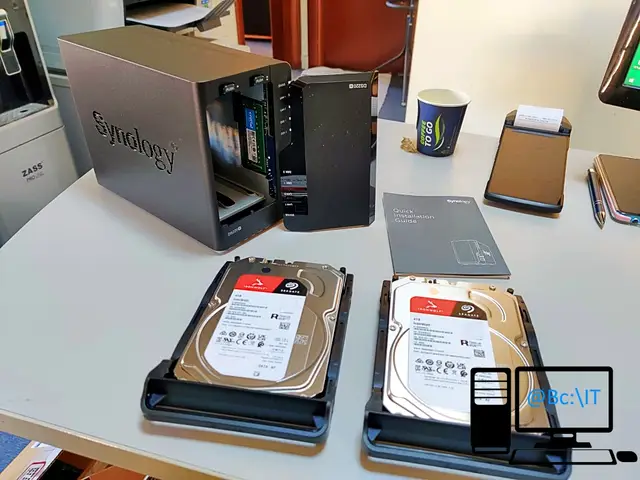
To do this we chose a Network Attached Storage (NAS) from Synology that supports two storage drives. For storage we chose two hard disk drives designed for NAS installation, made by Seagate, from the IronWolf series.
The SynologyNAS model we chose comes with 2GB RAM, to which we added another 4GB RAM module to ensure good operation, especially when several backups run on the NAS at the same time.
For the installation of this NAS, the internal network in which it operates was improved and reorganized by adding a managed switch and replacing some network cables, to make sure that all the computers connected to the network reach a transfer speed of 1Gb/sec.
To ensure continuous operation of the NAS even during power outages, it was connected to a UPS, to which the following devices were also connected:
- The internet provider's ONT
- Wireless router
- Managed switch
- Alarm system device
- A low-power thin client computer
The SynologyNAS was configured so that its main purpose is to provide backups for the company's computers, both on the network and remote. We had to configure an SSL certificate and create a domain through which the interface is accessed and through which the devices communicate with the NAS. The two HDDs were configured to run in Synology's proprietary RAID called Synology Hybrid RAID (SHR). The NAS also serves as a file station when employees want to securely transfer large files from inside the network to other locations or the other way around.
At the time of writing, the NAS has been running without interruption for more than 140 days and provides backups scheduled daily or weekly and performed automatically for ten devices of the company, some on the local network, others remote. These backups take up 30% of the available storage space.
We also talked about this NAS in the first article posted on the blog, where we described the procedure for making a backup of a computer running Microsoft Windows 10. Below you will find a few pictures from the installation process of the NAS.